
How to turn a Strava run into a framed print
Updated November 13, 2026 · By Postarunna
Take a screenshot of the Strava activity with the whole course and the stats visible, upload it at postarunna.com/make, add the runner name, pick one of five designs, and order. It arrives as a 12 × 16 inch print in a black wood frame. No account, no Strava login and no file export are needed.
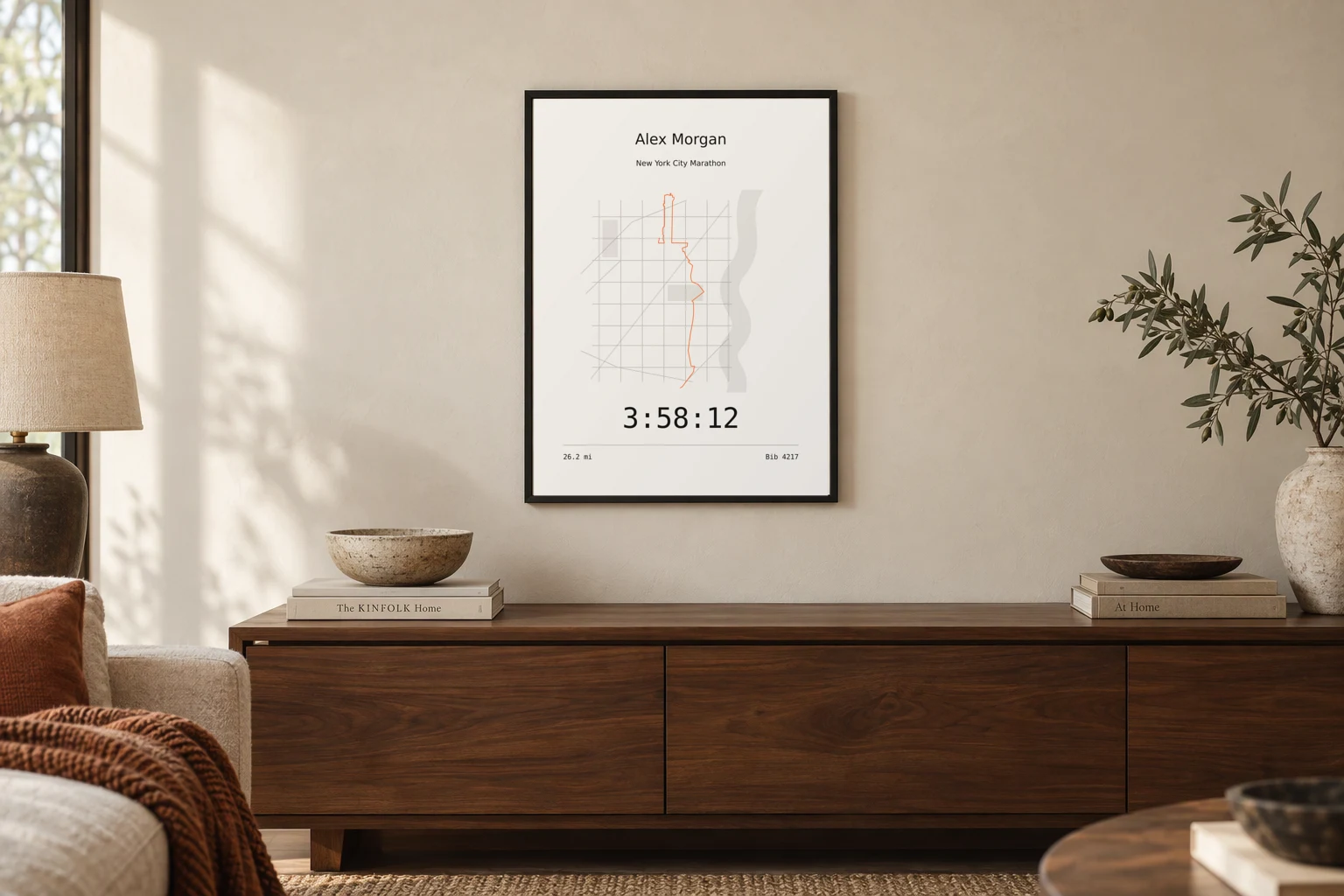
What you need
One screenshot of the activity from the Strava app or website. The map has to show the whole course, and the distance and time should be on screen. PNG, JPG and WebP files up to 4 MB work.
It does not have to be your own run. A screenshot a friend posted or sent you works the same way, which is why this is often made as a surprise gift. If you are not sure how to get a clean one, read how to screenshot a Strava activity.
The steps
- Open the activity in Strava and take a screenshot that shows the full course line and the stats under the map.
- Go to postarunna.com/make and upload the screenshot.
- Check what was read from it: the course, the distance, the time, the date, the activity title and the city. Fix anything by typing over it.
- Type the runner name and, if there was one, the bib number.
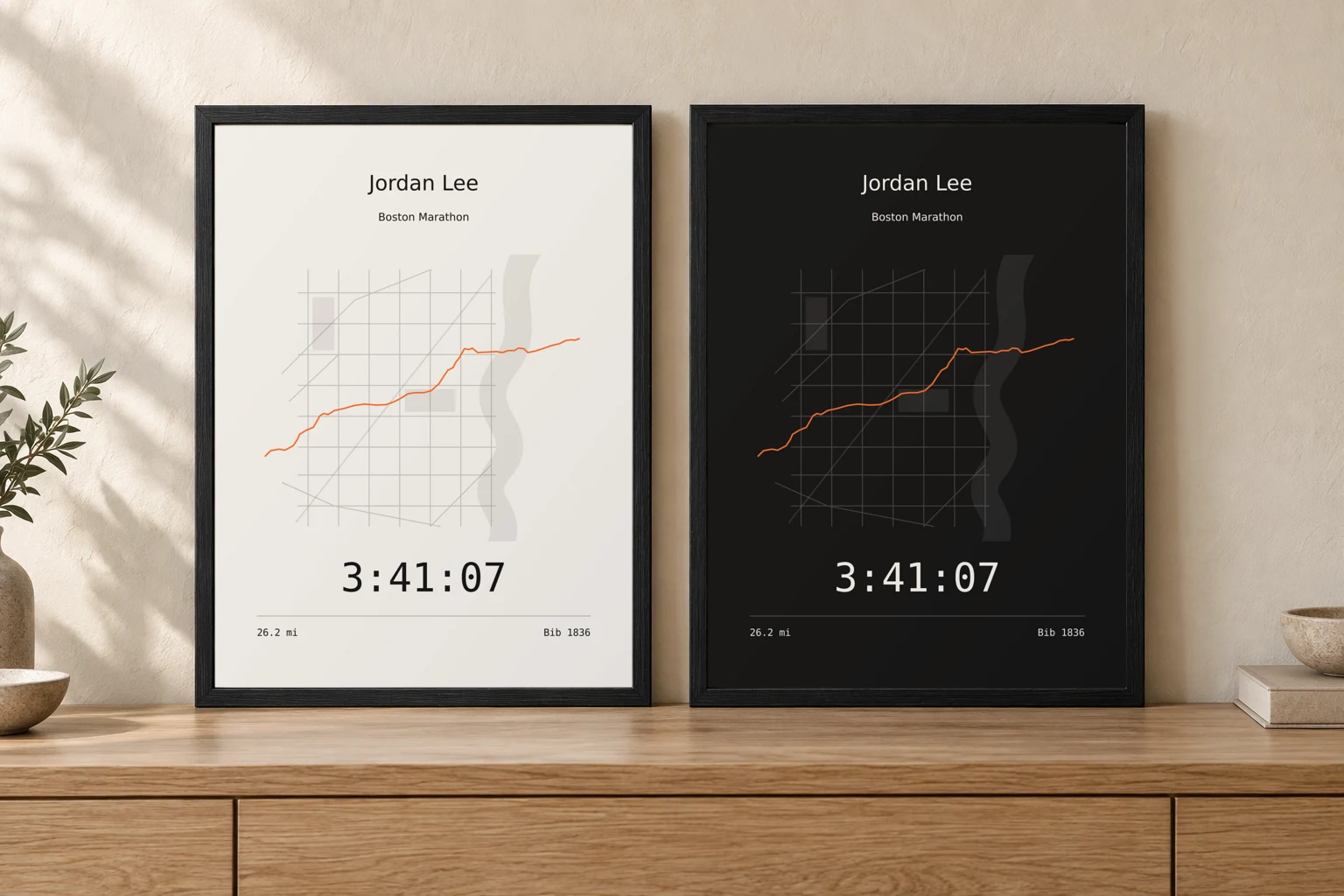
- Pick one of the five designs, an accent colour, and light or dark paper. The print updates as you choose.
- Enter the shipping address and pay. It prints exactly as shown on screen.
What is read from the screenshot
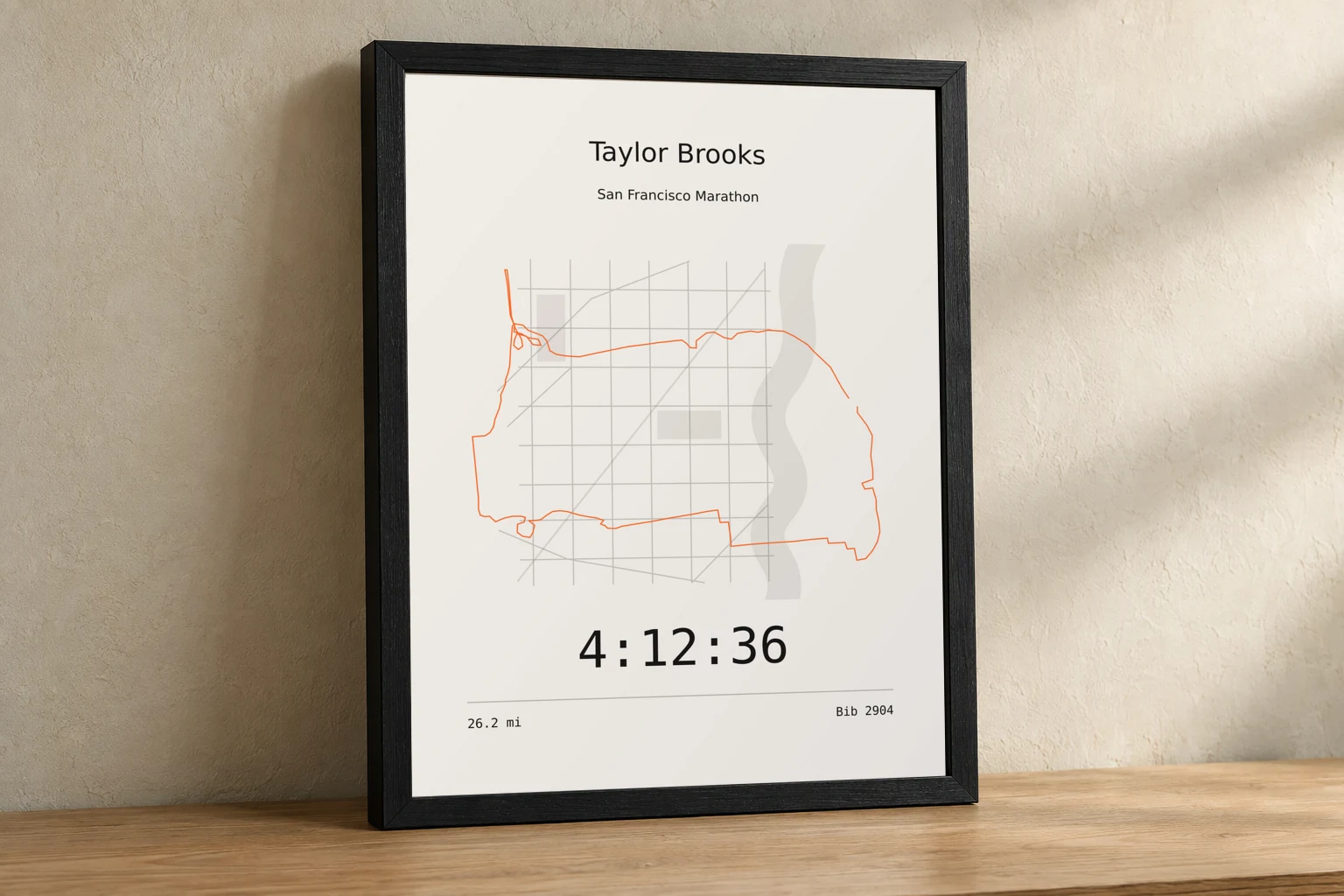
The course line is traced from the pixels of the map in the screenshot, so the print shows the route exactly as it was run. The streets around the course are picked up from the same map and drawn in soft grey behind it.
The distance, the time, the date, the title and the city are read from the text in the screenshot. If a badge or a photo covers part of the course, the hidden stretches are joined and you can review the joins.
What you get
- Size
- 12 × 16 inches
- Frame
- Black wood, ready to hang
- Paper
- Matte, light or dark
- Designs
- Five: Scoreboard, Bib, Night, Gallery and Finish
- Shipping
- Free within the contiguous United States
- Made
- To order, one at a time
Questions
- Do I need to connect my Strava account?
- No. The screenshot is the only thing needed. There is no account to create and no login to Strava.
- Does it work for a bike ride or a hike?
- It is built and tested for runs. Any Strava activity screenshot with a visible route line and stats can be uploaded, and you see the result before paying.
- Can I see it before I pay?
- Yes. The framed print is shown live while you make it, and it prints exactly as shown.
- What happens to my screenshot?
- It is processed privately to read the course and the details, then discarded.